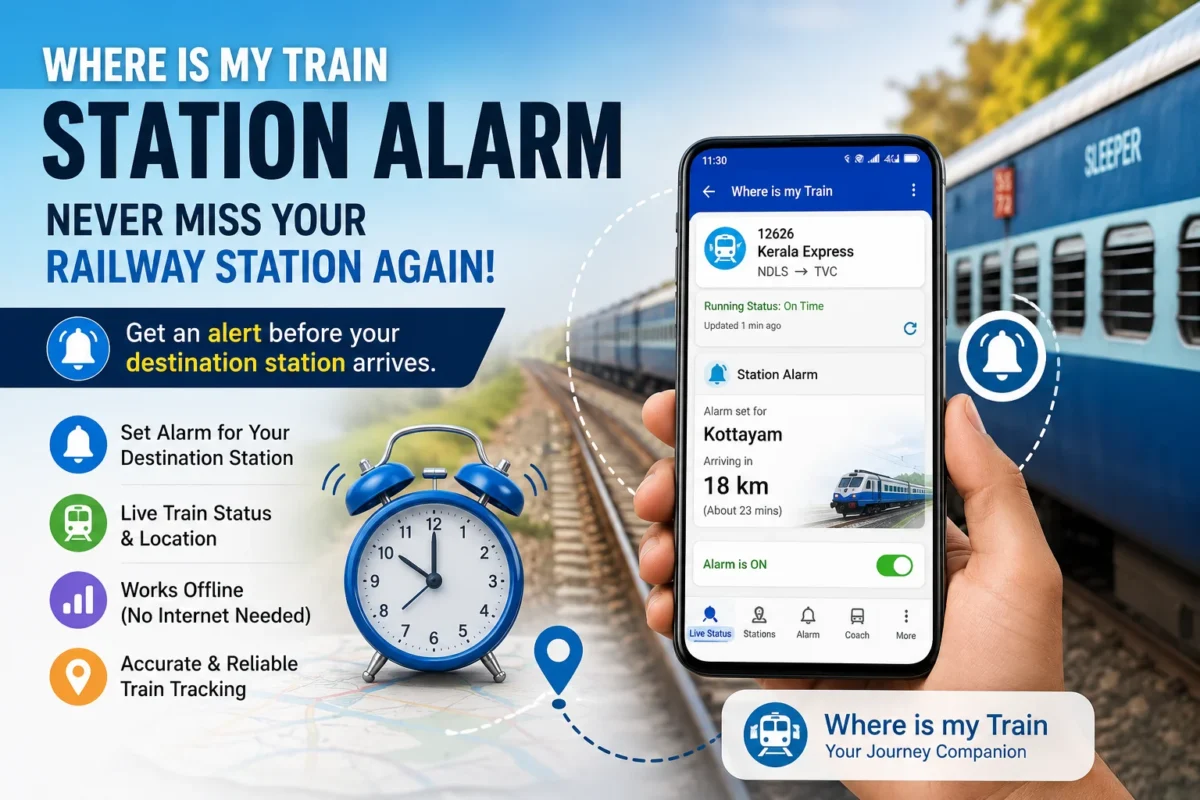
Where Is My Train Station Alarm Feature:- Anyone who’s travelled overnight on an Indian train knows the anxiety. You’re somewhere between Chennai and Thiruvananthapuram, it’s 3 AM, the compartment is dark and quiet, and you’re genuinely unsure whether you should try to sleep or stay awake to watch for your station. Sleep too deeply and you might sail right past it. Stay awake all night and you arrive exhausted.
The Station Alarm feature in the Where Is My Train app exists specifically for this situation. Set an alarm for your destination station before you sleep, and the app alerts you as your train approaches — using the train’s live running information to time the warning. It won’t replace railway announcements or your own judgment, but as an additional safety net for overnight and long-distance journeys, it’s genuinely useful.
This guide covers how to set it up, what makes it work, its real limitations, and everything else railway passengers in Kerala and across India should know before depending on it.
What Is the Station Alarm Feature?
Station Alarm is a feature within the Where Is My Train app that monitors your train’s position and triggers an alert before you reach your selected destination station. Instead of manually checking the train’s running status every hour through the night, you set the alarm once and let the app watch for you.
What makes this particularly useful is the app’s ability to track train location without requiring a constant internet connection. Where Is My Train uses cell-tower triangulation — identifying the train’s approximate position from the mobile towers it passes — which means the tracking continues even in areas where data connectivity is poor or intermittent. On many Indian train routes, especially through tunnels, rural areas, and hilly terrain, this matters significantly.
The alarm triggers based on the train’s actual running position, not just scheduled arrival time — so if your train is running late, the alarm adjusts accordingly rather than going off at the originally scheduled arrival time while you’re still two hours away.
Why This Feature Matters More Than It Might Seem
Missing your railway station in India is a more consequential problem than it sounds. The next stop could be 40 minutes away. It might be midnight in an unfamiliar town. Getting back requires either waiting for a return train, finding transport at odd hours, or both. For solo travellers, older passengers, or anyone travelling with children, the practical consequences of missing a station are significant enough that preventing it is worth real effort.
The situations where Station Alarm is most valuable:
Late Night and Early Morning Arrivals
The most common use case. Trains that arrive between midnight and 5 AM — a very common time window for long-distance Kerala routes — require either staying awake or having something watching while you sleep. The alarm handles the second option.
Unfamiliar Routes
When you don’t know the journey well enough to recognize landmarks or estimate how far you’ve come, a station alarm removes the guesswork. Particularly useful for passengers travelling a route for the first time.
Long-Distance Journeys
On a 12 or 16-hour train journey, sustained alertness isn’t realistic. The alarm lets you rest through the middle of the journey and still be ready when you approach your destination.
Routes With Poor Connectivity
Ironically, the routes where passengers most need real-time train information — hilly terrain, rural areas, inter-state borders — are often where internet connectivity is worst. The cell-tower tracking means the app keeps working even where mobile data fails.
How to Set the Station Alarm — Step by Step
Step 1: Download and Open Where Is My Train
If you don’t have it already, search for “Where Is My Train“ on Google Play Store and install it. It’s free, has over 500 million downloads, and is the most widely used third-party train tracking app in India.
Open the app once installed.
Step 2: Find Your Train
Search for your train using any of these:
- Train number (most reliable)
- Train name
- Source and destination station pair
- Partial train name using the Smart Search feature
For Kerala passengers: trains like Rajdhani, Kerala Express, Island Express, Netravati Express, Mangala Express, and all the regional expresses are all searchable. Using the train number is fastest if you have it.
Step 3: Open Live Running Status
Select your train from the search results and open its running status or journey details. This shows the complete list of stations on the route, the scheduled and expected arrival times at each, and the train’s current position.
Before setting the alarm, quickly check whether your train is running on time or delayed. A train running two hours late means your alarm will trigger two hours later than the scheduled arrival — the app accounts for this — but it’s good to know the situation before you sleep.
Step 4: Select Your Destination Station
In the station list, find and select the station where you want to get off. Tap on it to open the station-specific options.
Important: Some routes have stations with similar names. Verify you’ve selected the correct one — particularly relevant for common station names or when travelling through regions you’re not familiar with. Check the station code if you’re unsure.
Step 5: Set the Alarm
Once you’ve selected your destination station, look for the Station Alarm, Alarm, or Set Alarm option. The exact label may vary slightly depending on which version of the app you’re running.
Configure the alarm settings shown — typically including how many minutes before arrival you want to be alerted. Setting it for 20–30 minutes before your station gives you enough time to wake properly, collect your luggage, and move toward the door without rushing.
Step 6: Prepare Your Phone for the Night
After setting the alarm, a few phone setup steps make the difference between the alarm working and it silently failing while you sleep:
- Check battery level — plug in or connect a power bank if below 40%
- Enable notifications for Where Is My Train in your phone settings
- Disable aggressive battery optimization for the app — this is the most common reason alarms fail (covered in detail below)
- Keep volume on — obvious but easy to forget after a day of meetings where you silenced your phone
- Keep the phone within hearing distance — under your pillow, in a shirt pocket, or on the side berth beside you
The Battery Optimization Problem — Read This
This is the single most important technical issue with the Station Alarm, and most guides don’t explain it clearly enough.
Modern Android phones — particularly from brands like OnePlus, Xiaomi, Realme, Samsung, and Vivo — use aggressive battery optimization that kills background apps to save power. When the phone decides Where Is My Train is using battery unnecessarily, it terminates the app’s background processes. No background process means no alarm.
How to fix this on Android:
Go to Settings → Battery → Battery Optimization (exact path varies by brand):
- Find “Where Is My Train” in the app list
- Change its setting to “Don’t optimize” or “Unrestricted”
On some phones this is under Settings → Apps → Where Is My Train → Battery → Unrestricted.
On Xiaomi/MIUI phones specifically, also check Settings → Apps → Manage Apps → Where Is My Train → Autostart — enable Autostart to allow the app to run in the background.
This single setting change is the difference between the alarm working reliably and failing silently while you sleep. Do it before the journey, not while you’re already on the train.
Does the App Need Internet to Track the Train?
This is one of the most frequently asked questions about Where Is My Train, and the answer is nuanced:
For basic train schedules: No internet needed. Schedules are stored locally on the app.
For live train location: The app uses cell-tower triangulation — it identifies which towers the phone (and therefore the train) is passing — which works without mobile data but does require mobile network signal. In areas with no signal at all, tracking pauses until signal returns.
For the most accurate live running status: An occasional internet connection helps sync the latest train running information, especially if the train is significantly delayed or rerouted.
The practical implication: the app works better than most people expect in low-connectivity areas, but it’s not magic. Complete signal dead zones — some mountain tunnels, remote forest areas — will temporarily interrupt tracking.
Setting Up a Backup Alarm — Why You Should
The Station Alarm is a useful tool, not a guaranteed system. Reasons it might not fire as expected:
- Battery died overnight despite checking before sleep
- Phone’s battery optimization killed the app’s background process (even after fixing it, phones sometimes override)
- App encountered a bug or crash
- Train running information had a synchronization issue
- Significant signal loss in the approach to your station
The cost of a backup is zero — set a regular phone alarm for 15 minutes before your scheduled arrival time. If the train is running on time, the backup alarm wakes you (perhaps slightly earlier than the Station Alarm would have). If the train is late, the Station Alarm should catch that. Having both means one system covers the other’s gaps.
For truly critical situations — the last train of the night, a connection to catch, an important appointment — also tell your travel companions to watch for the station, and ask a fellow passenger near your berth if they’re getting off nearby.
Where Is My Train App — Full Feature Overview
The Station Alarm is what brings many people to this app, but it does considerably more:
Live Train Running Status
Real-time position and delay information for trains across India. Updates based on cell-tower data and server sync.
Offline Train Schedules
Complete timetables stored on the device — accessible without internet. Useful for checking train timings when you don’t have data.
PNR Status
Check your ticket booking status, berth allotment, and confirmation directly within the app.
Coach Position and Platform Information
Find where your coach is likely to stop on the platform — useful at large stations where walking the length of the train wastes time.
Seat Availability
Check real-time availability for planning or last-minute bookings.
Station Information
Details about stations on your route — arrival and departure times, platform information.
Metro and Local Train Information
Coverage extends beyond mainline trains to metro systems and suburban rail in major cities.
Train Between Stations
Find all trains running between two stations — useful for planning journeys where you’re flexible about which train to take.
Is Where Is My Train an Official Indian Railways App?
No — and this is worth stating clearly. Where Is My Train is a privately developed, third-party application. Its Google Play listing explicitly states it has no affiliation with Indian Railways.
This means:
- Information is sourced from publicly available railway data, not a direct official feed
- Occasional discrepancies between the app and official railway information are possible
- For official railway services — booking, refunds, complaints — use the IRCTC app or website
That said, with over 500 million downloads and a 4.5-star rating, it’s the most widely trusted third-party rail tracking app in India, and its cell-tower tracking has proven accurate enough to be genuinely relied upon by experienced train travellers.
Use it alongside official sources, not as a replacement for them.
Kerala-Specific Train Travel Notes
For Kerala passengers specifically, a few routes where Station Alarm is particularly useful:
Thiruvananthapuram to Mangaluru / Mumbai trains
Long overnight journeys through multiple states where unfamiliar station names make it hard to know your position.
Island Express, Netravati Express, Maveli Express
Popular Kerala trains with multiple intermediate stops — easy to lose track of position on a dark night.
Trains through the Western Ghats (Palakkad Pass)
The terrain means connectivity can be inconsistent — cell-tower tracking handles this better than internet-dependent apps.
Night trains arriving at smaller Kerala stations
Stations like Kayankulam, Tirur, Kanhangad, or Nilambur Road may not have loud announcement systems — an alarm matters more at these stations than at Thiruvananthapuram Central or Ernakulam Junction.
Troubleshooting — When the Alarm Doesn’t Work
If you’ve set the alarm but it doesn’t trigger, work through this checklist:
| Problem | Fix |
|---|---|
| Alarm didn’t fire at all | Check battery optimization settings, enable unrestricted background activity |
| App crashed overnight | Enable autostart, keep battery above 20% |
| Wrong station triggered | Re-check station selection — verify station code |
| Phone was on silent | Check volume settings before sleeping |
| No signal in the area | Use backup phone alarm for important journeys |
| App was outdated | Update to latest version before travel |
| Alarm fired too early/late | Check if train running status was accurate at time of setting |
If the alarm consistently fails despite fixing battery optimization, some users have found that keeping the app open on screen (rather than minimized) improves reliability — though this uses more battery.
Frequently Asked Questions
How far in advance does the Station Alarm alert you?
You can typically configure the advance notice — commonly 15, 20, or 30 minutes before arrival. Set it based on how long you need to wake up, get your luggage together, and move toward the exit.
Does the alarm work if the train is running late?
Yes. The alarm is based on actual position, not scheduled time. If your train is two hours late, the alarm triggers when the train is actually approaching your station — not at the originally scheduled arrival time.
What if I’m on a train with no internet and no cell signal?
In complete signal dead zones, the app can’t track position. For routes known to have signal gaps, set your backup phone alarm and inform a fellow passenger.
Can I set multiple station alarms for the same journey?
The app allows you to set alarms for your destination. For journeys with multiple stops — if you want an alert at an intermediate station too — check the current app interface for multiple alarm options.
Does the app work on iOS (iPhone)?
Where Is My Train is primarily an Android app and is most full-featured on Android. iOS availability and feature parity may differ — check the App Store listing for the current iOS version’s capabilities.
Is there a charge for the Station Alarm feature?
No. Where Is My Train is free to download and use, including the Station Alarm feature.
My phone shows Do Not Disturb at night — will the alarm still work?
Many phones allow specific apps to break through Do Not Disturb settings. Check your DND configuration and add Where Is My Train as an exception if needed. Alternatively, set DND to allow alarms through.
Can I use this for metro trains?
The app includes metro and local train information for major cities, but the Station Alarm feature is primarily designed for mainline Indian Railways trains. Metro systems have their own tracking apps that may be more reliable for urban rail.
Tips for the Best Station Alarm Experience
Set the alarm before you get on the train. Once you’re settled in your berth, not after you’ve already been travelling for three hours.
Check live status before sleeping. A quick look at whether the train is on time, ahead, or delayed gives you context for when to expect the alarm.
Keep your essentials accessible. Before you sleep, put your ticket, wallet, and phone where you can grab them quickly when the alarm fires. Don’t sleep with your luggage in the overhead rack if you can avoid it — getting everything down quickly in a dark berth at 3 AM is harder than it sounds.
Tell the TTE you’re getting off at your station on overnight journeys. Railway staff often wake passengers at their destination as a courtesy — this is a human backup that requires no battery.
Test the app on a short daytime journey first. Before relying on Station Alarm for an important overnight trip, try it on a familiar short journey to see how it behaves on your specific phone.
The Station Alarm in Where Is My Train solves a real problem that Indian train travellers have dealt with for decades — the anxiety of overnight journeys where missing your station is both easy and consequential.
It’s not a perfect system. Battery optimization issues, signal gaps, and occasional app quirks mean it shouldn’t be your only safeguard. But as part of a sensible approach — Station Alarm set, backup phone alarm set, phone charged, luggage accessible — it genuinely reduces the risk of missing your station to near zero.
For Kerala passengers on overnight trains to and from Thiruvananthapuram, Kochi, Kozhikode, and beyond, this is one of the more practical travel apps worth having properly configured before your next long journey.
Download Where Is My Train from Google Play, fix the battery optimization setting, and sleep easier on your next overnight train.