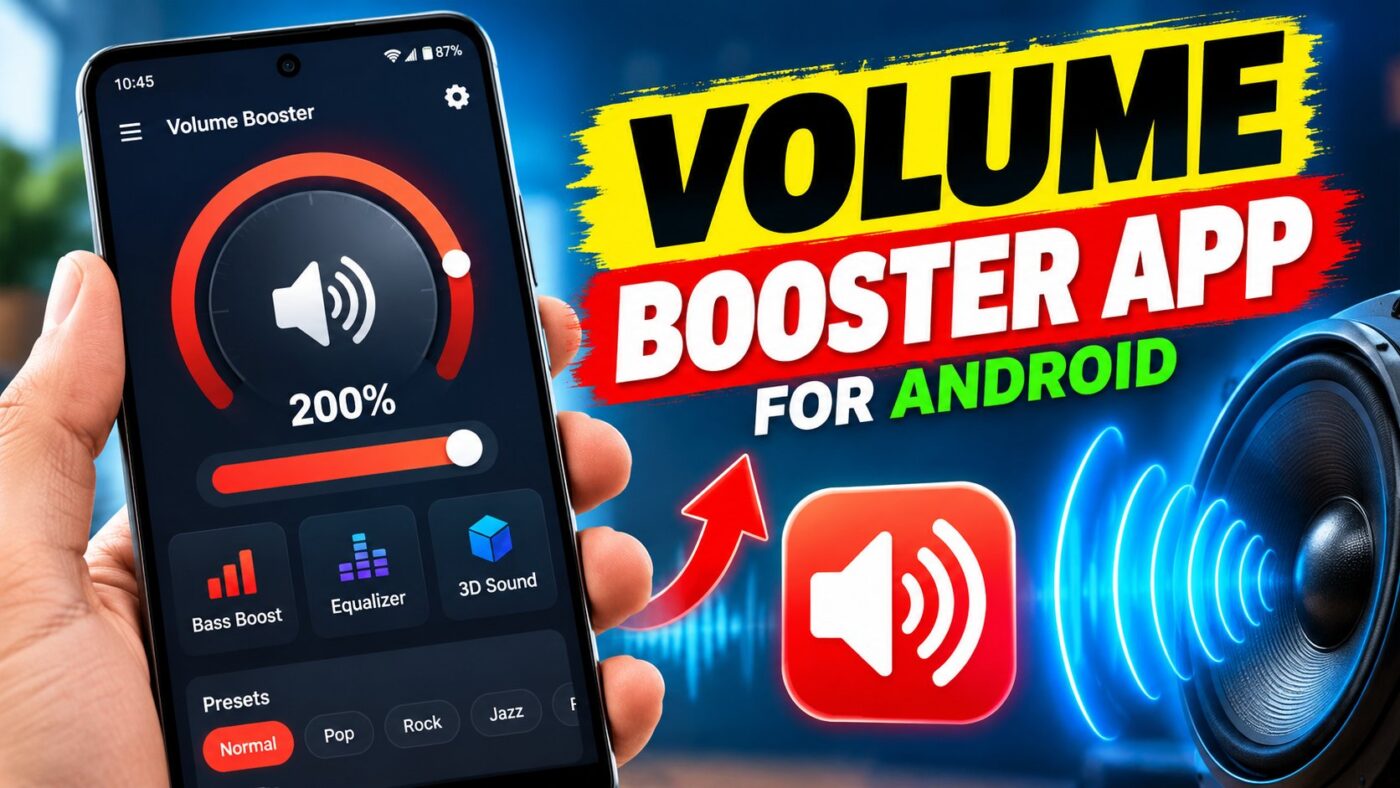
Volume Booster App for Android:- Sometimes the maximum volume on an Android phone may not feel loud enough, especially when watching videos, listening to podcasts, playing games, or using a phone in a noisy environment.
Android already provides built-in volume controls, but some users may want additional audio controls such as equalizers, bass adjustment, or software-based volume enhancement. This is where volume booster apps for Android can be useful.
In this guide, we will look at how volume booster apps work, what features to look for, and one example available on Google Play.
What Is a Volume Booster App?
A volume booster app is an Android application that provides additional controls for your device’s audio output.
Depending on the application and Android device, these apps may offer features such as:
- Media volume enhancement
- Bass boost
- Equalizer controls
- Virtual surround or 3D sound effects
- Preset audio profiles
- Controls for headphones and Bluetooth speakers
- Quick volume controls
The actual result can vary depending on the phone, Android version, speaker hardware, headphones, and the application being used.
A volume booster cannot physically make a smartphone speaker larger or more powerful. Instead, it uses software-based audio processing to modify the audio signal.
Volume Booster App for Android
One example available on Google Play is Volume Booster – Sound Booster, developed by Simple Design Ltd.
According to its Google Play listing, the app includes volume enhancement, bass boost, a 10-band equalizer, 3D virtualizer effects, and several preset sound effects. The listing also states that the app can be used with media such as music, videos, games, and audiobooks.
The app is currently listed on Google Play as containing ads and offering in-app purchases.
App Details
App name: Volume Booster – Sound Booster
Developer: Simple Design Ltd.
Category: Music & Audio
Platform: Android
Google Play: Available
Download the App
You can find the application on the official Google Play Store:
Volume Booster – Sound Booster on Google Play
Using the official Google Play Store is recommended instead of downloading an APK from an unknown third-party website.
Features of the Volume Booster App
1. Volume Enhancement
The main purpose of the application is to provide additional control over audio volume.
The developer’s Play Store listing says the app can increase volume beyond the standard media and system volume levels. It advertises volume enhancement of up to 200%, although the actual result will depend on the device and audio output.
This can be useful when the standard maximum volume doesn’t provide the listening level you want.
2. Bass Booster
The application also includes a bass booster.
Bass enhancement changes the lower-frequency portion of an audio signal. It can make music sound fuller, particularly when used with headphones or external speakers that can reproduce lower frequencies effectively.
However, excessive bass can cause distortion on small phone speakers.
3. 10-Band Equalizer
An equalizer allows users to adjust different frequency ranges in an audio signal.
The app’s Google Play listing includes a 10-band equalizer and more than 20 preset effects.
For example, users may experiment with different presets for music or adjust bass, mid-range, and higher frequencies manually.
4. 3D and Surround Effects
The app also provides 3D virtualizer and stereo-related audio effects.
These effects are designed to change how sound is perceived rather than simply increasing volume. Whether you notice a significant difference depends on the type of audio and the headphones or speakers being used.
5. Headphone and Bluetooth Support
According to the Play Store description, the app can be used with headphones, Bluetooth devices, and speakers.
The experience may differ between Bluetooth speakers, wired headphones, wireless earbuds, and the phone’s built-in speaker.
How to Use a Volume Booster App
Using a volume booster is generally straightforward.
Step 1: Install the App
Open Google Play Store and search for Volume Booster – Sound Booster by Simple Design Ltd.
Alternatively, use the official Play Store listing:
Open the app’s Google Play listing
Step 2: Open the Application
After installation, open the app and review the available audio controls.
Depending on the current version, you may see volume, equalizer, bass, or other sound-enhancement options.
Step 3: Start With a Moderate Boost
Don’t immediately increase the volume to the highest available setting.
Start with a small increase and check whether the audio is comfortable and clear.
Step 4: Adjust the Equalizer
If the audio sounds too flat, you can experiment with the equalizer.
For example, increasing bass slightly may make music sound fuller. Increasing higher frequencies can make some voices or instruments appear clearer.
However, equalizer settings are subjective, so there isn’t one setting that works for everyone.
Step 5: Reduce the Volume if You Hear Distortion
If you hear crackling, clipping, buzzing, or other distortion, reduce the boost.
A software volume booster cannot overcome the physical limitations of a phone speaker.
Why Is My Android Phone Volume Low?
Installing a volume booster isn’t always the first solution to a low-volume problem. There are several other things worth checking.
Check the Media Volume
Android has separate volume controls for different types of audio. Make sure the media volume is turned up when watching a video or listening to music.
Check the Speaker
Dust or debris around the speaker openings can sometimes affect sound output. Check your phone manufacturer’s cleaning recommendations before attempting to clean the speaker.
Check Bluetooth Volume
If you’re using Bluetooth headphones or speakers, check both the phone’s volume and the volume controls on the connected device.
Check the Audio App
Some music and video applications have their own audio settings. An equalizer or volume normalization feature may affect how loud audio appears.
Restart the Phone
If the volume suddenly becomes unusually low, restarting the phone can sometimes resolve temporary software issues.
Does a Volume Booster Really Make Your Phone Louder?
It can increase the perceived or software-controlled audio output, but the result depends heavily on the device.
A smartphone speaker has physical hardware limitations. Increasing the software gain beyond a certain point may result in distortion rather than useful additional loudness.
For this reason, a volume booster should be viewed as an audio enhancement tool, rather than a way to permanently increase the physical capability of your phone’s speaker.
Is It Safe to Use a Volume Booster?
Volume level is an important consideration when using any sound-enhancement application.
Listening to audio at very high levels for extended periods can contribute to hearing damage. The app’s own Play Store listing also warns users about the risks associated with prolonged high-volume audio.
For safer listening:
- Increase the volume gradually.
- Avoid keeping headphones at maximum volume for long periods.
- Reduce the volume if the audio becomes uncomfortable.
- If you hear distortion, lower the boost.
- Give your ears regular breaks.
- Be particularly careful when using headphones or earbuds.
A volume booster should not be used as a substitute for hearing assistance or medical advice if you are experiencing hearing difficulties.
Can a Volume Booster Damage the Phone Speaker?
Using software to increase audio gain can potentially cause distortion or place additional demands on a small speaker.
The risk depends on the phone hardware, audio signal, volume level, and duration of use.
If your phone speaker starts producing crackling or noticeably distorted sound, reduce the volume or disable the boost.
What Should You Look for in a Volume Booster App?
If you’re considering a volume booster for Android, useful features include:
Equalizer:
Allows you to adjust different frequency ranges.
Bass control:
Useful if you want to customize low-frequency sound.
Preset profiles:
Makes it easier to switch between different sound configurations.
Headphone and Bluetooth support:
Helpful if you frequently use external audio devices.
Clear privacy information:
Check the application’s Google Play data-safety information before installing it.
Regular updates:
An actively maintained application may provide better compatibility with newer Android versions.
Frequently Asked Questions
Is there a volume booster for Android?
Yes. There are several volume booster applications available through Google Play. One example is Volume Booster – Sound Booster by Simple Design Ltd.
Can I increase Android volume beyond the normal maximum?
Some volume booster applications use audio processing to provide additional gain beyond the standard system volume level. However, the amount of usable additional volume depends on the phone and audio hardware.
Does a volume booster work with headphones?
Some applications support headphones and Bluetooth audio devices. The results depend on the connected device and Android’s audio system.
Is a volume booster safe?
Using moderate volume levels is important. Excessively loud audio, particularly through headphones, can damage hearing. If you experience distortion or discomfort, reduce the volume.
Do I need to root my Android phone?
The Google Play listing for Volume Booster – Sound Booster states that its app does not require root access.
Is the app free?
The current Google Play listing shows the app as containing ads and offering in-app purchases. Features and pricing can change, so users should check the Play Store listing before installing.
Final Thoughts
A volume booster app can be useful if you want additional control over your Android device’s audio. Features such as equalizers, bass enhancement, and software-based volume adjustment can provide more flexibility than the standard Android volume controls.
Volume Booster – Sound Booster by Simple Design Ltd. is one option available through Google Play. Its current listing includes volume enhancement, bass boost, a 10-band equalizer, 3D virtualizer effects, and support for different types of audio output.
However, the effectiveness of any volume booster depends on your particular smartphone, headphones, speakers, Android version, and the audio you’re playing.
If you decide to try one, download it from the official Google Play Store, start with a moderate volume level, and avoid prolonged exposure to excessively loud audio.
Official app: Volume Booster – Sound Booster – Google Play