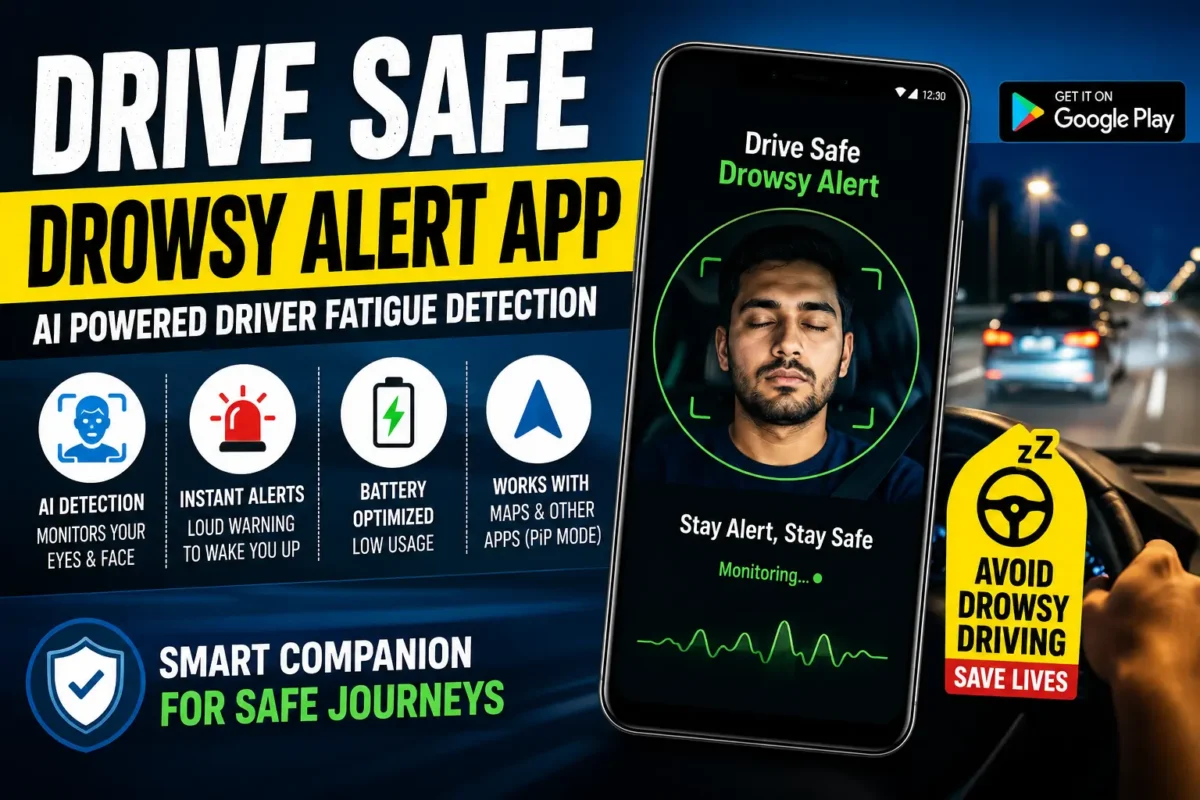
Drive Safe with this App:- There’s a specific kind of danger that doesn’t announce itself. You’re on the highway at 11 PM, you’ve been driving for three hours, the road is straight, the music is low, and without any warning your eyes start closing. Not because you decided to sleep — your body just takes over. By the time your head drops, you’ve already drifted.
Drowsy driving kills. Studies consistently put it alongside drunk driving in terms of reaction time impairment, and unlike alcohol, fatigue leaves no obvious external signs — no slurred speech, no stumbling. Drivers often don’t realize how impaired they are until it’s too late.
The Drive Safe – Drowsy Alert app is built around one idea: use your phone’s front camera and AI to watch your eyes while you drive, and sound an alarm the moment you start closing them too long. It’s a simple concept, but implemented well, it could genuinely be the difference between catching yourself before an incident and not catching yourself at all.
Here’s an honest look at what the app does, who it’s built for, and whether it’s worth using.
What Does the App Actually Do?
Drive Safe – Drowsy Alert runs on Android and uses your phone’s front-facing camera to monitor your face in real time while you drive. The AI watches specifically for eye closure patterns — distinguishing between a normal blink, which lasts a fraction of a second, and the prolonged closure that signals drowsiness.
When it detects that your eyes have been closed longer than a normal blink, it fires an audible alert — loud enough to jolt you back to attention. The whole detection-to-alert chain happens in real time, on your device, without any data being sent to external servers.
That last point matters more than it might seem. A lot of apps that do any kind of facial analysis send data to the cloud for processing. This one does everything locally, which means your face isn’t being stored or transmitted anywhere.
Key Features — What You’re Getting
AI-Based Eye and Facial Monitoring
The core of the app is a continuously running AI model that watches your eyes and facial expressions through the front camera. It’s not just tracking whether you’re blinking — it’s reading fatigue patterns that develop over time as you drive.
Smart Blink Recognition
This is what separates a usable app from an annoying one. Normal blinking doesn’t trigger alerts — and it shouldn’t. The AI is specifically trained to distinguish between regular blinks and the slower, heavier eye closure that signals the brain starting to shut down. Fewer false alarms means you’re more likely to actually pay attention when one goes off.
Loud Alert System
When drowsiness is detected, the alert is designed to be genuinely startling — not a gentle chime, but a sound loud enough to pull you back from the edge of sleep. You can adjust the volume, but the default is set high for a reason.
Adjustable Sensitivity
Not every driver or driving situation is the same. Night driving on a straight highway carries different fatigue risks than urban driving during the day. The app lets you customize detection sensitivity so the alerts match your actual situation rather than a one-size-fits-all setting.
Picture-in-Picture (PiP) Support
This is a practical feature that often gets overlooked. The app runs in picture-in-picture mode, which means it works alongside Google Maps or Waze without taking over your screen. Navigation continues uninterrupted while drowsiness monitoring runs in the background.
Battery Optimization
Long-distance driving means the app needs to run for hours without draining your battery before you reach your destination. The developers have specifically optimized the app to keep CPU and battery usage low — important for anyone planning a multi-hour journey.
On-Device Privacy
All facial analysis happens directly on your phone. According to the developer, no monitoring data is uploaded to external servers. For an app that’s literally watching your face continuously, this is a meaningful commitment.
Who Is This App Built For?
Honestly, anyone who drives — but especially:
Professional Drivers
Taxi drivers, auto drivers, Ola and Uber operators, truck drivers, bus drivers, and delivery executives often drive for extended hours under time pressure that makes pulling over and resting feel impossible. This app is arguably most valuable for this group — people whose livelihood depends on staying on the road but whose safety depends on staying alert.
Long-Distance and Highway Drivers
The monotony of highway driving is genuinely dangerous. Straight roads, consistent speed, low cognitive demand — it’s almost designed to induce drowsiness. Having an active monitoring system running in the background adds a layer of protection that music and coffee can’t fully replicate.
Night Shift Workers
Driving home after a night shift is one of the highest-risk driving scenarios there is. Your body’s circadian rhythm is working against you, and the roads are emptier — which paradoxically makes driving feel easier and safer at exactly the moment your alertness is at its lowest.
Frequent Commuters
Even daily commuters can fall into fatigue patterns, especially on familiar routes where the brain goes on autopilot. Familiarity breeds inattention, and inattention plus tiredness is a dangerous combination.
How to Set It Up — The Right Way
The setup is straightforward, but there are a few things worth doing correctly:
Install from the Google Play Store
Search for “Drive Safe Drowsy Alert” and install the official app. It’s free to download.
Mount your phone properly
This is the step most people get wrong. The front camera needs a clear, unobstructed view of your face throughout the drive. A dashboard mount or windshield mount positioned at roughly eye level works best. If the camera angle is too low or too high, detection accuracy drops.
Use landscape mode
The app performs better in landscape orientation. Set your phone horizontally before starting.
Start the app before you start driving
Let it initialize and confirm it can see your face clearly before you pull out. Trying to adjust it while already moving defeats the purpose.
Set your sensitivity before long trips
If you’re heading out on a multi-hour drive, take a minute to adjust the sensitivity settings for the conditions — night driving warrants higher sensitivity than a short daytime trip.
What It Does Well
The false alarm rate is genuinely low. A drowsiness detection app that constantly triggers false alarms trains you to ignore it — which is the worst possible outcome. The smart blink recognition does its job well enough that when an alert fires, it’s worth taking seriously.
PiP integration is seamless. Navigation works normally. You’re not choosing between monitoring and directions.
The alert is actually loud enough. This sounds obvious, but it’s not guaranteed with apps in this category. A gentle notification sound won’t wake someone who’s already partially asleep. The default alert level is appropriately aggressive.
On-device processing means no lag. Cloud-based processing introduces latency. When you need an alert, you need it immediately — not after a round-trip to a server. Local processing keeps the response time fast.
Limitations Worth Knowing
Camera positioning is critical. If your phone mount isn’t set up correctly, the app’s accuracy suffers significantly. This requires a proper mount — not just your phone sitting in a cupholder.
Glasses and sunglasses can affect detection. Certain lens types, particularly polarized or heavily tinted lenses, can interfere with eye-tracking accuracy. If you wear glasses while driving, test the app in different lighting conditions to see how it performs for you.
It’s not a substitute for rest. This needs to be said clearly. The app is designed to catch you at the point of drowsiness — not to help you safely drive through exhaustion for hours. If you’re severely fatigued, no alert system is a safe alternative to pulling over.
Requires consistent front camera access. If your phone heats up and throttles performance on a long drive, or if another app interrupts camera access, monitoring can be affected.
A Realistic Safety Assessment
Drive Safe – Drowsy Alert is a genuine safety tool, not a gimmick. The technology it uses — real-time AI facial analysis on a mobile device — is the same category of solution that high-end vehicles implement through their driver monitoring systems, just made accessible on a smartphone.
Is it as sophisticated as a system built into a premium car? No. But it’s free, it runs on a phone you already have, and it provides a meaningful safety layer for situations where fatigue is a real risk.
The honest framing: think of it as a backup system. You are the primary safety mechanism — your judgment about when you’re too tired to drive, your decision to pull over, your responsibility behind the wheel. The app is the alarm that fires when your judgment is compromised and you can no longer make that call for yourself. That’s a genuinely useful role.
Quick Comparison: Drive Safe vs Other Drowsiness Solutions
| Solution | Cost | How It Works | Limitations |
|---|---|---|---|
| Drive Safe App | Free | AI camera monitoring | Requires good phone mount |
| Premium Car DMS | Built into vehicle | Steering/camera sensors | Only in high-end vehicles |
| Smartwatch fatigue alerts | Varies | Heart rate/movement | Less accurate for driving |
| Rumble strips on roads | Free (passive) | Vibration when drifting | Only works after lane departure |
| Caffeine/energy drinks | Low cost | Stimulant | Temporary, unreliable |
The app sits in a useful gap — more proactive than rumble strips (which only help after you’ve already drifted), more accessible than vehicle-integrated systems, and more reliable than caffeine.
Frequently Asked Questions
Does the app work in low light or at night?
The front camera performance in low light depends on your phone model. Newer phones with better front cameras handle low-light conditions reasonably well. Some drivers use a small clip-on light aimed at their face for night driving — though this isn’t necessary for most modern phones.
Will it drain my battery on a long drive?
The app is optimized for battery efficiency, but running the front camera continuously does use power. On a long drive, plugging your phone into your car charger is strongly recommended regardless of which apps you’re running.
Can I use it with a phone holder on the dashboard?
Yes — and that’s the recommended setup. A dashboard or windshield mount that positions the front camera at roughly face level gives the best detection accuracy.
Does it work in the background while using Google Maps?
Yes. The PiP mode is specifically designed for this. Navigation and drowsiness monitoring run simultaneously.
Is the facial data stored anywhere?
According to the developer, all processing happens on-device and no facial data is uploaded or stored externally. If privacy is a concern, this is the right architecture for an app of this type.
Does it work for passengers too?
The app is designed for the driver — specifically for someone facing the front camera from the driver’s seat. It’s not designed to monitor passengers.
What happens if I need to look away from the road briefly?
Brief glances away — checking mirrors, looking at navigation — don’t trigger the alert because the detection is specifically calibrated for prolonged eye closure patterns, not momentary head turns.
The Bottom Line
Drowsy driving is underreported, underestimated, and genuinely deadly. The Drive Safe – Drowsy Alert app doesn’t solve the fatigue problem, but it does provide a real-time alert system that can catch you at the moment your body starts shutting down — and that moment is exactly when you need it most.
For long-distance drivers, professional drivers, and anyone who regularly drives late at night or after long shifts, setting this up takes ten minutes and costs nothing. The phone mount is the only real investment required.
Use it as one part of a broader approach to safe driving — alongside genuine rest breaks, stopping when you feel seriously fatigued, and not pushing through exhaustion on the road. But as a backup system that watches when your own judgment is compromised, it’s one of the more practical safety apps available for Android right now.
Drive safe. And if the app goes off — pull over.