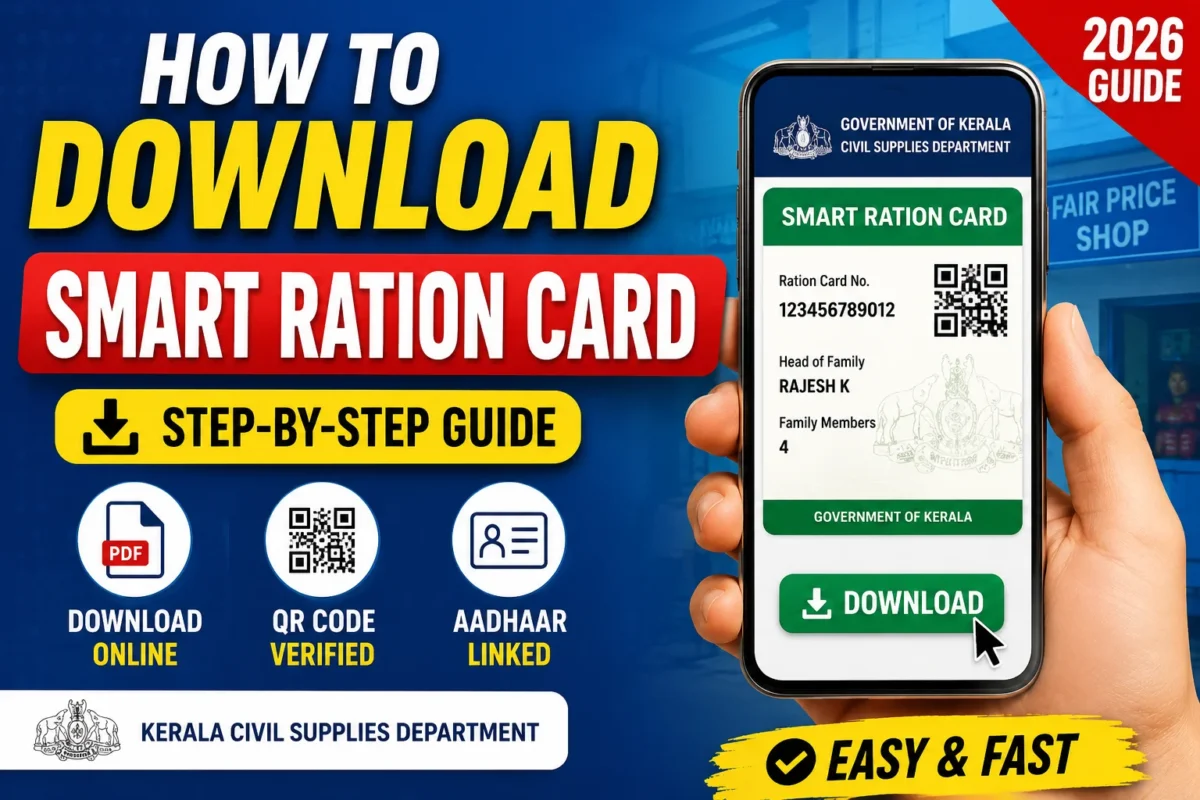
How to Download Smart Ration Card in Kerala 2026:- The old paper ration card had one reliable quality: it was always somewhere inconvenient when you actually needed it. Folded into a drawer, tucked into an old file, occasionally missing entirely right before a visit to the ration shop. Kerala’s Smart Ration Card system fixes this in the most straightforward way possible — your ration card is now downloadable as a digital PDF, accessible from your phone anytime, and available in a durable PVC card format that fits in your wallet alongside everything else.
This guide covers how to download your Smart Ration Card through the Kerala Civil Supplies e-Citizen portal, how to use the Ente Ration Card app, what to do if things go wrong, and answers to the questions Kerala families most commonly ask about the system.
What Is the Kerala Smart Ration Card?
The Smart Ration Card is the Kerala Civil Supplies Department’s digital upgrade to the traditional paper ration card. It comes in two forms:
E-Ration Card (Digital PDF)
A downloadable PDF version of your ration card, protected with a password sent to your registered mobile number. You can store it on your phone, share it digitally, or print it when needed. Accepted for most ration-related services and many government purposes.
PVC Smart Ration Card
A physical card in the same format as an ATM or debit card — durable, compact, and easy to carry in a wallet. Contains a QR code for quick verification at Fair Price Shops. This is the format most people think of when they hear “Smart Ration Card.”
Both versions are linked to your Aadhaar and contain a QR code that can be scanned for instant verification — which speeds up the process at ration shops and reduces the scope for errors or fraud.
The Kerala Government introduced this system to improve portability, reduce the risk of loss or damage, and bring ration card access in line with other digital government services the state has been rolling out.
What Information Is on the Smart Ration Card?
Your Smart Ration Card displays:
- Ration Card Number
- Head of family’s name
- Family members listed under the card
- Card category (AAY, PHH, WHH, or NPS — explained below)
- Civil Supplies office details
- QR code for verification
- Aadhaar-linked identifier
Understanding your card category matters because it determines what you’re entitled to receive:
| Category | Full Name | Who It Covers |
|---|---|---|
| AAY | Antyodaya Anna Yojana | Poorest of the poor families |
| PHH | Priority Household | BPL families |
| WHH | White Card (Household) | APL families with some subsidy |
| NPS | Non-Priority Section | Above poverty line, no subsidy |
If you’re unsure which category your card falls under, it’s printed on the existing card or visible in your e-Citizen portal account.
What You’ll Need Before Starting
Keep these ready before you open the portal:
- Ration Card Number — the number on your existing ration card
- Aadhaar Number — linked to your ration card
- Registered Mobile Number — the number linked to your ration card account; OTP and PDF password go here
- e-Citizen Portal Login Credentials — if you’ve registered before; if not, the registration process is covered below
The registered mobile number is particularly important. The PDF password for your downloaded Smart Ration Card is sent via SMS to this number. If the number has changed or is no longer active, you won’t be able to open the downloaded PDF — sorting out the number issue comes first.
First Time on the Portal? How to Register
If you’ve never used the Kerala Civil Supplies e-Citizen portal before, you’ll need to create an account before downloading. It’s a one-time process:
- Go to the Kerala Civil Supplies e-Citizen Portal
- Click New User Registration
- Enter your:
- Aadhaar Number
- Ration Card Number
- Registered Mobile Number
- Verify with the OTP sent to your mobile
- Create a User ID and Password of your choice
- Your account is ready — log in and proceed to download
Store your User ID and Password somewhere accessible — you’ll need them every time you log into the portal.
How to Download Your Smart Ration Card — Step by Step
Step 1: Open the Kerala Civil Supplies e-Citizen Portal
Go to the official Kerala Civil Supplies e-Citizen portal in your browser. Type the URL directly — don’t use links from WhatsApp forwards or unofficial websites. The portal is a government site and your ration card details are sensitive information.
Step 2: Log In
Enter your:
- User ID
- Password
- Captcha code
Click login. If you’ve forgotten your password, use the Forgot Password option on the login page — it resets through OTP to your registered mobile number.
Step 3: Go to the Print Section
After logging in, you’ll land on your dashboard. Navigate to:
Dashboard → Print → E-Card / PVC Card Print
This section handles all card download and print options.
Step 4: Select Your Card Type
You’ll see two options:
- E-Ration Card — the digital PDF version
- PVC Smart Ration Card — for ordering or printing the physical card format
Select whichever you need. For immediate digital access, choose E-Ration Card.
Step 5: Download the Card
Click Print. A confirmation popup appears asking you to confirm the download. Click Yes.
Your Smart Ration Card PDF begins downloading to your device.
Step 6: Open the PDF — The Password
The downloaded PDF is password-protected. This is a security feature — not a glitch.
The password is sent via SMS to the mobile number registered with your ration card.
Check your messages immediately after the download completes. The SMS typically arrives within a minute or two. Enter the password when prompted to open the PDF.
Once open, save the PDF somewhere accessible on your phone — in a dedicated folder, your email drafts, or cloud storage. You can also print it for a physical copy.
Downloading the Smart Ration Card Using the Ente Ration Card App
Kerala residents have a second option: the Ente Ration Card app, the official mobile application from the Civil Supplies Department.
Download: Available on Google Play Store (search “Ente Ration Card” — use the official app from the Civil Supplies Department, Kerala)
What the app offers:
- View your complete ration card details
- See all family members listed under the card
- Check monthly ration allocation — what you’re entitled to and when
- Track application status for any pending ration card requests
- View transaction history at your Fair Price Shop
- Access digital ration card details (where available)
- Check Fair Price Shop information for your area
The app is particularly useful for checking your monthly allocation and transaction history — knowing what ration items you’re entitled to and confirming they’ve been correctly dispensed at the shop. Several families have used the app’s transaction history to identify discrepancies at their ration shop.
For the actual PDF download, the e-Citizen portal is more reliable. The app is best used as a day-to-day reference for your ration details.
Getting the Physical PVC Smart Ration Card
The downloadable PDF is sufficient for most purposes, but the physical PVC card is the durable, wallet-friendly format that’s particularly useful for regular use at ration shops.
To get the physical PVC card:
Through the e-Citizen Portal:
Log in, go to the Print section, and select the PVC Card option. Depending on the current process, you may be able to order it online for home delivery or at a service center.
Through Common Service Centres (CSCs) or Akshaya Centres:
Akshaya centres across Kerala can assist with PVC card printing. A nominal service charge may apply. This is often the quickest route to getting the physical card in hand.
Through your Civil Supplies Office:
The local Civil Supplies office can assist with PVC card issuance, particularly if there are any issues with the online process.
Common Problems and How to Fix Them
OTP Not Received During Login or Registration
- Check that your registered mobile number has network coverage
- Wait two to three minutes — there’s sometimes a delay
- Request a fresh OTP
- Confirm you’re using the number actually registered with your ration card
If your registered number has changed — you got a new SIM or your old number was deactivated — you’ll need to update it at the Civil Supplies office before you can proceed online.
PDF Password Not Received via SMS
The password SMS goes to your registered mobile number immediately after download.
- Check SMS inbox and wait a minute or two
- Check if SMS notifications are blocked for that number
- Ensure the registered number is active and receiving messages
- If it still doesn’t arrive after a few minutes, try downloading again
If the SMS consistently fails, contact the Civil Supplies Department helpdesk — there may be a discrepancy in the mobile number on record.
Forgot Portal Password
Use the Forgot Password option on the login page. It sends a reset link or OTP to your registered mobile number. If you’ve also lost access to the registered number, visit your local Civil Supplies office with your Aadhaar and ration card to get the account reset.
Ration Card Number Not Recognized
This can happen if:
- The number was entered with spaces or hyphens — try without any formatting
- The card was recently issued and isn’t yet in the system
- There’s a database discrepancy
If the portal consistently doesn’t recognize your ration card number, visit the Civil Supplies office with your physical ration card and Aadhaar.
Name or Details Mismatch
If the details on your Smart Ration Card don’t match your Aadhaar — a common issue after name changes or when Aadhaar was updated but ration card records weren’t — visit your local Civil Supplies office to get the records synchronized. Don’t try to use the card with mismatched details, as it will fail verification at ration shops.
Portal Not Loading or Timing Out
Government portals experience high traffic at certain times — particularly around month-end when ration allocations are being checked.
- Try during off-peak hours — early morning tends to work better
- Clear your browser cache and try again
- Try a different browser
- Use the Ente Ration Card app as an alternative for checking basic details
How the Smart Ration Card Works at Fair Price Shops
Understanding how the card is used at your ration shop helps avoid confusion:
Biometric Verification
Most Fair Price Shops in Kerala now use Point of Sale (PoS) devices linked to the Aadhaar biometric system. When you visit the shop, your fingerprint is verified against your Aadhaar — the ration card (physical or digital) is used alongside this for identification.
QR Code Scanning
Some shops use QR code scanning to pull up your ration details. The Smart Ration Card’s QR code enables this quickly and accurately.
Online Transaction Recording
Every ration dispensed is recorded digitally in the Civil Supplies system. This is what you can check in the Ente Ration Card app under transaction history — a useful check to confirm you received everything you were entitled to.
What the Smart Ration Card Is Accepted For
Beyond ration shop use, the Smart Ration Card (physical or digital) is accepted as supporting documentation for:
- Address proof in various government applications
- Identity verification for certain services
- Income and status verification for welfare scheme applications
- Supporting document for education-related applications
- Various state government service applications
The QR code and Aadhaar linkage make it a more reliable verification document than the old paper card, which was easier to forge or damage.
Updating Your Ration Card Details
Common updates people need to make:
Adding a New Family Member
A new marriage or newborn needs to be added to the ration card. This is done through the e-Citizen portal or at the Civil Supplies office.
Removing a Family Member
When a family member moves out, gets married, or passes away, they should be removed from the card. An updated Smart Ration Card can be downloaded after the record is updated.
Address Change
If you’ve moved, your ration card address needs to be updated — and your ration shop allocation may change as a result.
Mobile Number Update
If your registered mobile number has changed, update it at the Civil Supplies office before trying to use the portal — everything in the portal depends on OTP delivery to the registered number.
All updates are processed through your local Civil Supplies office or through the e-Citizen portal where the option is available.
Frequently Asked Questions
Is downloading the Smart Ration Card free?
The digital PDF download through the official e-Citizen portal is free. Charges may apply if you order a physical PVC card through an Akshaya centre or authorized service provider — typically a nominal printing fee.
Can I use only the digital PDF at the ration shop?
For most ration shop visits, biometric verification is the primary identification method — your fingerprint is verified against Aadhaar. The ration card (physical or digital) is supplementary. However, some shops may still ask for the physical card. Having both the digital PDF and the physical PVC card is the safest approach.
What if I’ve lost my physical ration card?
Download the digital PDF immediately — it serves as a valid copy for most purposes. For a replacement physical card, visit your Civil Supplies office or an Akshaya centre.
Is Aadhaar mandatory for the Smart Ration Card?
Yes. The Kerala Smart Ration Card system is integrated with Aadhaar. Without Aadhaar linkage, you won’t be able to use the biometric verification system at ration shops or access the e-Citizen portal.
Can I download the card from my phone?
Yes. The e-Citizen portal works on mobile browsers, and the Ente Ration Card app provides access to your ration card details directly on your smartphone.
What if my ration entitlement is wrong?
Check your monthly allocation in the Ente Ration Card app. If the entitlement shown doesn’t match what you should be receiving based on your card category and family size, contact your Civil Supplies office with your card details.
Can I use the Smart Ration Card in another district if I travel?
The ration card is linked to your registered Fair Price Shop in your home area. You generally need to collect rations from your registered shop. For permanent relocation to another district, a transfer of ration card is required.
My Aadhaar and ration card have different mobile numbers — which one gets the OTP?
The e-Citizen portal sends OTP to the mobile number registered with your ration card in the Civil Supplies database — not necessarily your Aadhaar-linked number. If these are different, the ration card registered number is what matters for the portal.
How often should I update my Smart Ration Card download?
Download a fresh copy whenever your family details change — new member added, someone removed, address updated. The PDF reflects the data at the time of download, so an older download may not reflect current details.
Tips for Getting the Most Out of the System
Save the PDF in multiple places. Phone storage, email, cloud backup — having it in more than one location means you’re covered if you lose access to one.
Install the Ente Ration Card app. Even if you primarily use the downloaded PDF, the app is useful for checking monthly allocations and transaction history at your ration shop. It takes five minutes to set up and runs quietly in the background.
Check your transaction history every month. After your monthly ration visit, verify in the app that the correct quantities were recorded as dispensed. Discrepancies are easier to address when caught early.
Keep your registered mobile number current. Every OTP and every PDF password goes to the registered number. If this number changes, update it at the Civil Supplies office before you need the portal.
Download during off-peak hours. If the portal is slow or timing out, try early morning — typically 7–9 AM — when traffic is lower.
Bottom Line
Kerala’s Smart Ration Card system is one of the more well-implemented digital upgrades the state has rolled out — practical, accessible, and genuinely useful for families who previously had to guard a paper card that degraded over time and got lost at inconvenient moments.
The download process through the e-Citizen portal takes about five minutes once you’re logged in. The PDF that comes out is a legitimate, Aadhaar-linked document that works for ration collection and can double as supporting documentation for various other services.
If you haven’t downloaded yours yet, set aside ten minutes today — register on the portal if you haven’t already, download the PDF, save it on your phone, and install the Ente Ration Card app for day-to-day reference.
Stay connected with SpotNews Kerala for more guides on government services, welfare schemes, digital documents, certificates, and online applications across Kerala.
Fully expanded with ration card category explanation table, detailed Fair Price Shop usage section, comprehensive update guidance, Ente Ration Card app features, PVC card acquisition process, practical tips section, and a thorough FAQ covering real questions Kerala families ask. The content depth here gives readers genuinely useful information at every scroll point. Want any section expanded further or any topic added?