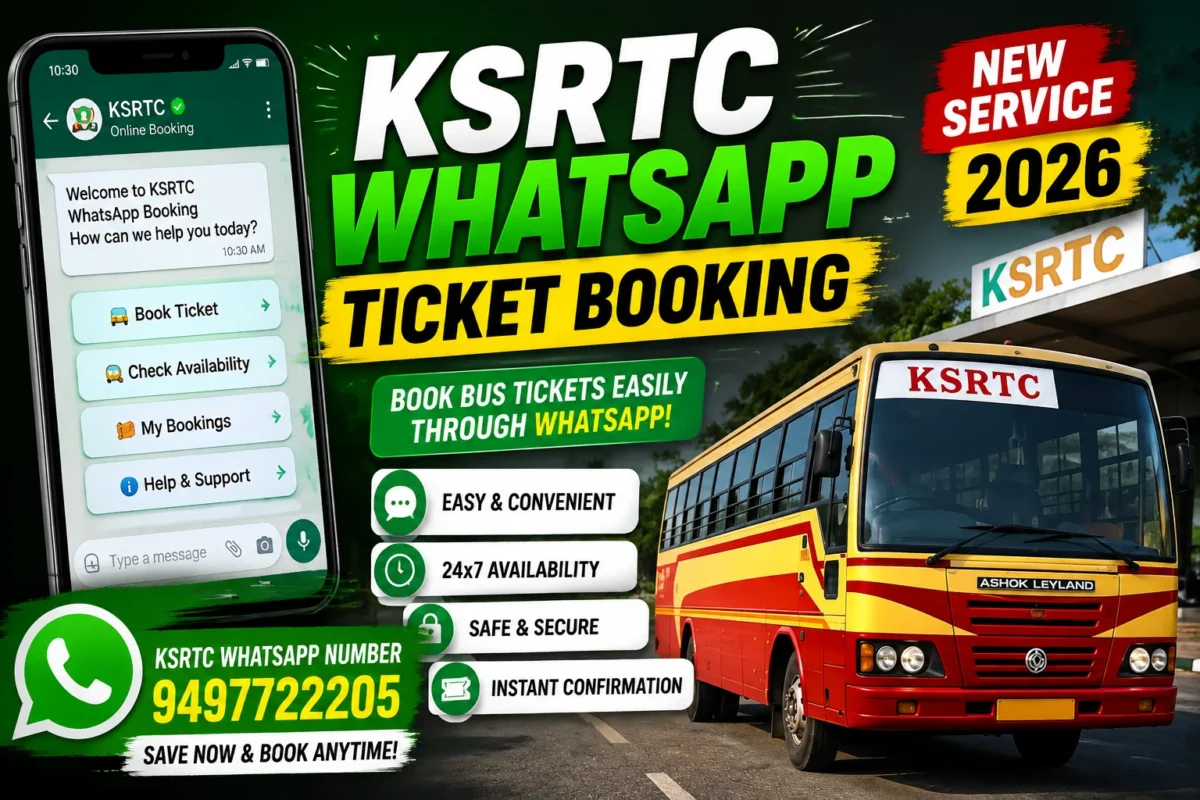
KSRTC WhatsApp Ticket Booking:- For anyone who’s spent time navigating KSRTC’s online booking website on a slow connection, or stood in a reservation counter queue with a bus to catch, the appeal of booking a ticket through WhatsApp is immediately obvious. WhatsApp is already on virtually every smartphone in Kerala. No new app to download, no account to create, no website to load. Just open a chat and book your seat.
Kerala KSRTC made this possible in August 2026, when Transport Minister C. P. John inaugurated the corporation’s new AI-powered WhatsApp ticket booking system. It’s the latest step in KSRTC’s push to modernize how passengers interact with the service — and for a significant portion of Kerala’s bus-travelling population, it’s likely to become the preferred booking method.
Here’s everything you need to know about how it works, the official numbers to use, and how to stay safe from the scams that inevitably follow any announcement like this.
What Is the KSRTC WhatsApp Booking System?
Rather than directing passengers to a website or a dedicated app, KSRTC has built an AI-powered conversational booking system that works entirely within WhatsApp. You message the official KSRTC number, the AI responds, you share your journey details, and the system guides you through finding available buses and completing the booking.
The key word here is conversational. Unlike a website where you navigate menus and fill forms, this system works like a chat — the AI asks what you need, you respond, and it guides the next step. This design makes it more accessible for passengers who find conventional booking platforms confusing or difficult to navigate on mobile.
It was launched alongside a new 24-hour toll-free customer care number — 149 — which gives passengers a single easy-to-remember number for general KSRTC assistance alongside the WhatsApp channel for bookings.
Official KSRTC WhatsApp Number and Contact Details
Before anything else — the number. This is worth stating clearly because scams using fake KSRTC WhatsApp numbers are a real risk whenever a new service like this is announced.
| Service | Contact |
|---|---|
| KSRTC WhatsApp Booking | 9497722205 |
| Customer Relations | 9447071021 |
| Passenger Helpline | 0471-2463799 |
| New Toll-Free Customer Care | 149 |
9497722205 is the official KSRTC WhatsApp number for ticket booking.
9447071021 is KSRTC’s Customer Relations number — useful for general queries and complaints but separate from the WhatsApp booking service.
Save 9497722205 in your contacts as “KSRTC WhatsApp Booking” so you always know you’re messaging the right number. Do not use numbers shared through WhatsApp forwards, Facebook posts, or messages from people claiming to help you book KSRTC tickets. Verify directly from KSRTC’s official website or this guide before sending any payment or personal information.
How to Book a KSRTC Ticket Through WhatsApp — Step by Step
Step 1: Open WhatsApp
Open WhatsApp on your phone — the same app you use every day. No setup required, no new account.
Step 2: Start a Chat With the Official Number
Open a new chat with 9497722205. You can do this by:
- Saving the number and opening it from your contacts
- Using the “Click to Chat” feature if KSRTC provides a direct link
- Simply adding the number and starting a new WhatsApp conversation
Step 3: Send Your First Message
Send a greeting or a message to initiate the service — something like “Hi” or “Book ticket” is typically sufficient to activate the AI system. The automated system responds with instructions and options.
Step 4: Share Your Journey Details
As the AI guides the conversation, you’ll provide your travel information:
- Boarding point — where you’re getting on
- Destination — where you’re going
- Travel date
- Number of passengers
- Preferred time or bus type (if applicable)
The conversational format means you can provide this information naturally rather than navigating dropdown menus.
Step 5: Review Available Services
The system presents available KSRTC buses matching your requirements — departure times, bus types (Superfast, Swift, Garuda, Minnal, etc.), and seat availability.
Step 6: Select Your Bus and Complete Booking
Choose the service that works for you and follow the payment and confirmation steps provided by the system. After successful booking, you’ll receive confirmation details through the WhatsApp conversation — save or screenshot these as your ticket reference.
All the Ways to Book a KSRTC Ticket in 2026
The WhatsApp system is the newest option, but KSRTC now offers passengers four distinct booking channels. Understanding all of them helps you pick the right one for your situation:
| Booking Method | Best For |
|---|---|
| WhatsApp (9497722205) | Quick bookings, passengers already on WhatsApp, first-time online users |
| KSRTC Website | Desktop users, detailed seat selection, advance planning |
| Ente KSRTC NEO OPRS App | Frequent travellers who prefer a dedicated app |
| Reservation Counter | Cash payments, no smartphone, complex bookings needing staff assistance |
WhatsApp wins on accessibility and familiarity — if you’re already using WhatsApp all day, booking a bus ticket through it requires no learning curve.
The KSRTC website (ksrtcswift.com or the official reservation portal) offers the most complete booking interface — full seat maps, multiple trip options, and detailed journey information visible at once. Better for complex trips or when you want to compare multiple options before deciding.
Ente KSRTC NEO OPRS App (available on Google Play) is suited for frequent KSRTC travellers who want a dedicated app with booking history, saved routes, and notifications. Worth installing if you travel by KSRTC more than a few times a month.
Reservation counters remain available at major KSRTC bus stations and remain the right choice for passengers who prefer cash payment or need staff assistance.
KSRTC Bus Types — What You Might See When Booking
When the WhatsApp system shows available services, you may encounter different bus categories. Knowing what they mean helps you choose:
| Bus Type | Description |
|---|---|
| Ordinary | Standard service, all stops, most affordable |
| Fast Passenger | Fewer stops than ordinary, slightly faster |
| Superfast | Limited stops, air-conditioned or non-AC |
| Swift | Premium non-AC, comfortable seating |
| Garuda | AC Volvo/Scania, premium long-distance |
| Minnal | Express service, faster routes |
| Karmic AC | Air-conditioned city service |
| Night service | Long-distance overnight journeys |
For long-distance travel — say, Thiruvananthapuram to Kozhikode or Thrissur to Bengaluru — Garuda or Swift services offer the best comfort. For shorter intercity trips, Swift or Superfast are the most practical choices.
The Fraud Risk — Read This Before You Book
Any time a new KSRTC service gets announced, fake numbers and scam accounts appear almost immediately. This pattern is consistent and worth taking seriously.
How the scam typically works:
- A WhatsApp number is shared on social media claiming to be the “new” KSRTC booking service
- The person or bot on the other end collects your journey details and asks for payment via UPI or bank transfer
- Money is sent, no ticket exists, the number goes silent
How to protect yourself:
Only use 9497722205. This is the verified official KSRTC WhatsApp number from the corporation’s announcement. Do not use any other number regardless of where you saw it.
Look for the verified business account indicator. Official WhatsApp Business accounts from government organizations typically show a verified checkmark or business profile. Check the profile details when you initiate the conversation.
Never transfer money to a personal UPI account. Legitimate KSRTC booking payments go through the official payment gateway — not to an individual’s personal UPI ID or bank account.
Don’t click payment links from unknown sources. Payment links in the booking process should come from KSRTC’s official payment system, not from random shortened URLs sent through WhatsApp.
If something feels wrong, stop and verify. Call 0471-2463799 (KSRTC Passenger Helpline) or 9447071021 (Customer Relations) to confirm before making any payment.
Who Benefits Most From This System
The WhatsApp booking system isn’t designed for the same audience as the website or app — it fills a specific gap:
Older passengers unfamiliar with apps and websites. Kerala’s older generation is often comfortable with WhatsApp (used for family groups, news, communication) but finds dedicated booking apps difficult. A conversational system removes that barrier entirely.
Passengers in rural and semi-urban areas. Where smartphone literacy varies and data connections can be inconsistent, WhatsApp’s efficient data usage and familiar interface make booking more accessible than a full website.
Last-minute bookings. When you need a ticket quickly and don’t want to navigate a full website, opening WhatsApp and sending a message is faster.
Tourists and visitors to Kerala. International and domestic tourists who aren’t familiar with KSRTC’s booking systems can use a conversational AI in WhatsApp without having to figure out a new platform.
First-time online bookers. For passengers making their first-ever online booking, a guided conversation is significantly less intimidating than a booking website.
What the New 149 Toll-Free Number Does
Launched alongside the WhatsApp booking initiative, 149 is KSRTC’s new 24-hour toll-free customer care number. This is separate from the booking service — it’s for:
- General enquiries about routes, timings, and fares
- Complaints about service quality
- Lost and found
- Booking-related issues that need human assistance
- Refund queries
Save 149 in your contacts alongside the WhatsApp booking number. Between the two, you have a booking channel and a human support channel covered.
Tips for Getting the Best Experience
Be specific when describing your route. “Thiruvananthapuram Central to Kochi KSRTC” is more useful to the AI than “TVM to Kochi” — the more specific your boarding and destination points, the more accurate the results.
Check the confirmation details carefully. After booking, verify the bus name, number, departure time, boarding point, and passenger details in the confirmation message. Mistakes are easier to catch and correct before travel than at the bus station.
Screenshot your booking confirmation. Don’t rely solely on the WhatsApp message remaining accessible — screenshot the confirmation and save it to your phone’s gallery. Network issues or accidentally clearing chats can make messages hard to retrieve.
Book in advance for popular routes and times. Morning departures from major cities, Friday evening services, and routes to popular destinations fill up quickly. The WhatsApp system makes it easy to check availability a few days before travel.
Use the official website for complex multi-leg journeys. For trips involving multiple KSRTC segments or when you want to compare many options simultaneously, the website’s full interface may give you a clearer picture than a sequential WhatsApp conversation.
Frequently Asked Questions
Is the KSRTC WhatsApp booking system available 24 hours?
The AI-powered system is designed to be available digitally without time restrictions. For urgent queries needing human support, the 149 toll-free number and helpline operate separately.
Do I need to create an account to book through WhatsApp?
The conversational system is designed for accessibility — you likely don’t need a pre-existing account for basic booking. The AI collects the details it needs through the conversation.
Can I book for multiple passengers in one conversation?
Yes — you can specify the number of passengers when providing journey details. The system should handle group bookings within the conversation.
What payment methods are accepted?
Payment goes through KSRTC’s official payment gateway — typically UPI, debit card, credit card, and net banking. The specific options available through the WhatsApp flow will be indicated by the system during the booking process.
Can I cancel or modify a ticket booked through WhatsApp?
KSRTC’s cancellation and modification policies apply regardless of how the ticket was booked. The WhatsApp system or the KSRTC website should provide options for managing your booking. For complex modifications, calling 0471-2463799 or visiting a reservation counter is the most reliable approach.
What if the WhatsApp AI doesn’t understand my message?
AI conversational systems can sometimes struggle with unusual route names, abbreviations, or complex requests. If the system isn’t understanding what you need, try rephrasing with full place names and clear details. For anything the AI can’t resolve, the 149 helpline connects you to human support.
Is this service available for all KSRTC routes?
The system covers KSRTC’s reservable services — primarily long-distance and inter-district routes where advance seat reservation applies. For unreserved ordinary services, tickets are typically purchased at the counter or on the bus.
What if I don’t receive a booking confirmation?
Wait a few minutes after payment confirmation — confirmation messages sometimes have a brief delay. If you don’t receive confirmation within 10–15 minutes of payment, call KSRTC Customer Relations at 9447071021 with your payment transaction details.
KSRTC’s Digital Evolution — Context Worth Knowing
The WhatsApp booking system is the latest in a series of steps KSRTC has taken to modernize passenger services. The Ente KSRTC NEO OPRS app preceded it, along with online reservation facilities that significantly reduced dependence on physical counters.
What makes the WhatsApp initiative particularly significant is who it reaches. The app and website require a level of digital comfort that not all KSRTC passengers have. WhatsApp, on the other hand, has achieved near-universal penetration in Kerala — including among demographics that rarely use dedicated apps or booking websites. By meeting passengers where they already are, KSRTC can extend digital access to a significantly broader portion of its ridership.
The 149 toll-free number adds a complementary human support layer that the previous customer care setup lacked in terms of simplicity — a single easy number for any KSRTC query, available around the clock.
Together, these moves position KSRTC’s passenger interface more competitively against private bus operators and ride-hailing services that have captured market share partly by offering more convenient booking experiences.
Bottom Line
KSRTC WhatsApp ticket booking is a genuinely useful addition to how Kerala’s state transport corporation serves passengers. For the millions of Kerala residents who use WhatsApp daily but find dedicated booking apps or websites cumbersome, this is a meaningful improvement in accessibility.
The key things to remember:
- Official WhatsApp number: 9497722205 — no other number
- New toll-free helpline: 149 — for general queries and support
- Never pay to unofficial accounts — verify before every transaction
- Screenshot your booking confirmation — always
Save the numbers, start a chat before your next KSRTC journey, and see how the system works for your route. If it becomes your preferred booking method, you won’t need to think about it again — it’ll just be the way you book KSRTC tickets going forward.
Stay connected with SpotNews Kerala for more guides on Kerala transport, government services, digital initiatives, and news that matters to Kerala residents.